Lift AOV by up to 2x
Guests add to their order without queueing again.
ALL-IN-ONE F&B POS
Run sales, stock, staff, customers and every outlet without switching apps.
Cafes and restaurants already closing their day on KITAPOS
Guests add to their order without queueing again.
Schedule and hand over shifts in one system.

Confirm the staff you scheduled are the ones actually at the outlet.
Compare sales and operations without opening reports one at a time.
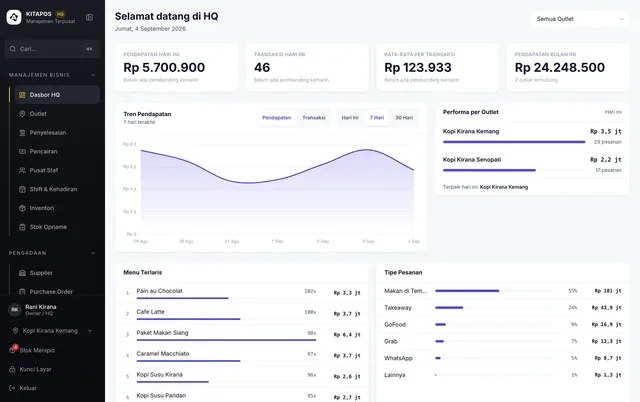
Sales, AOV and best sellers readable at a glance.
Loyalty points and transaction history stay with each customer.

Point guests to a review the moment the transaction closes.

Turn the queue into orders, put your best-margin items in front, and bring guests back to buy again.
Guests queue at the till during the rush. Some drop the extra item, some never sit down at all.
The menu reads flat. Your best-margin items sink among dozens of others.
One sitting, one order. A second round only happens if the guest is willing to stand up again.
Guests come once and vanish, leaving nothing you can read later.
The outlet is busy every day, yet its Google page has almost no reviews.
Customer numbers and emails pile up in a list and are never used again.
For Guests
This is the main reason KITAPOS exists. Once the walk to the till disappears, intent that used to evaporate becomes a transaction.
For Owners
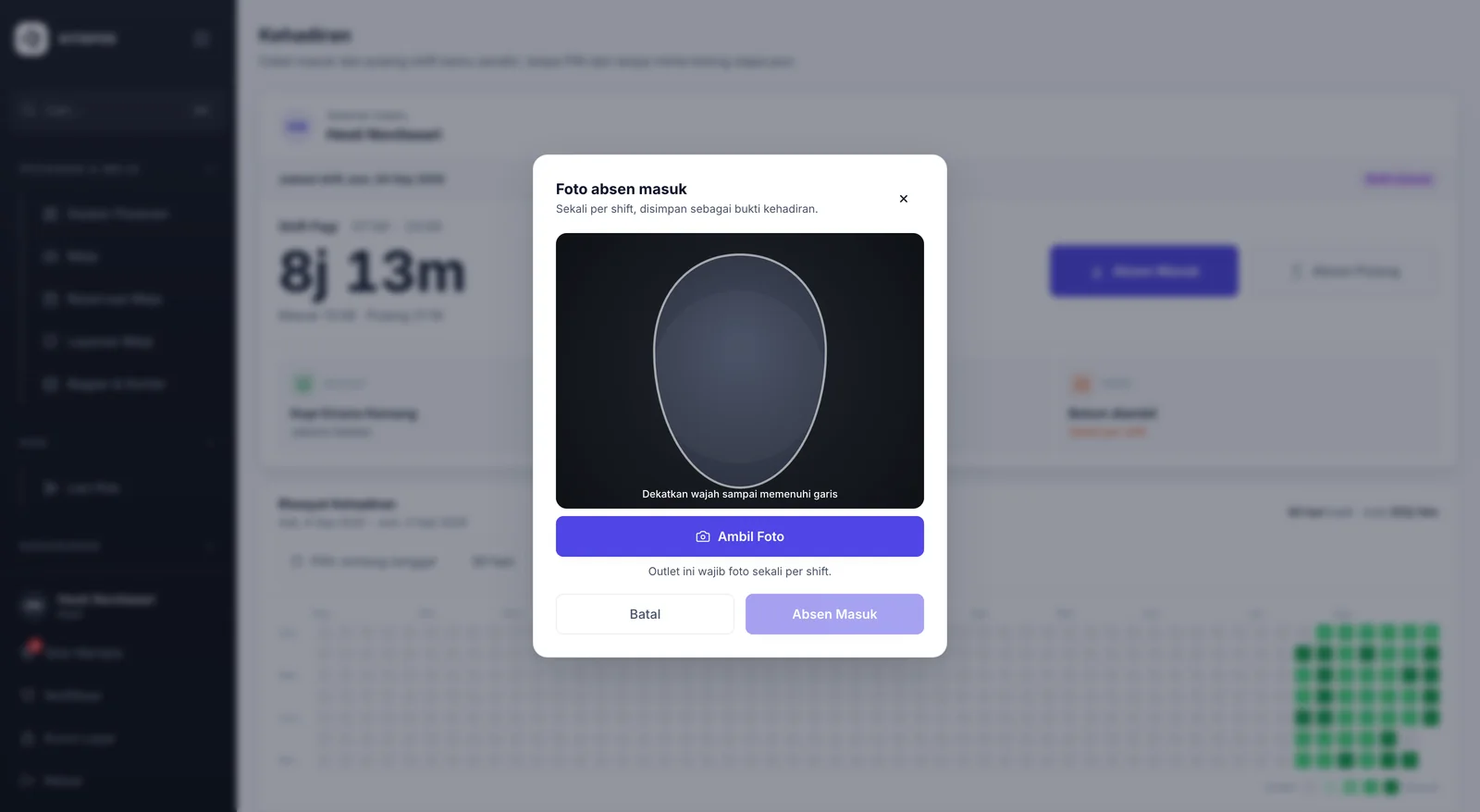
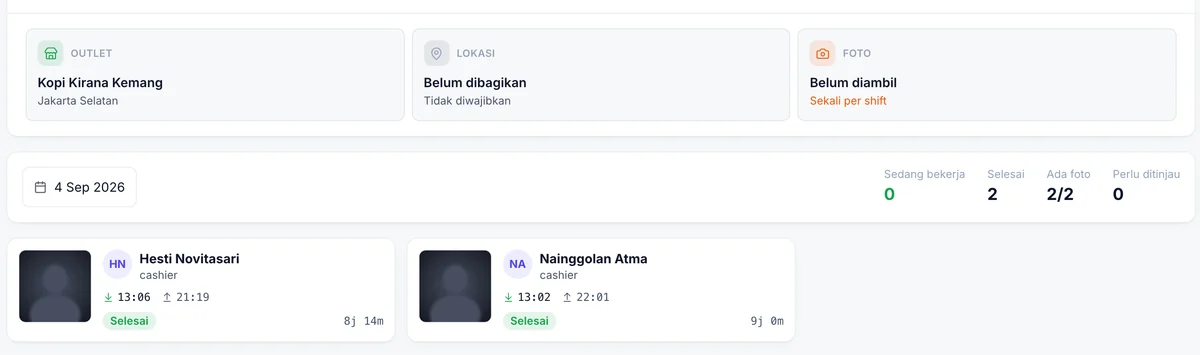
Staff record their own clock-in and clock-out — no PIN, no waiting for someone to unlock it. The camera comes on when the button is pressed, and the photo is kept as proof of attendance.
 Enlarge
 Enlarge
Product Tour
 Enlarge
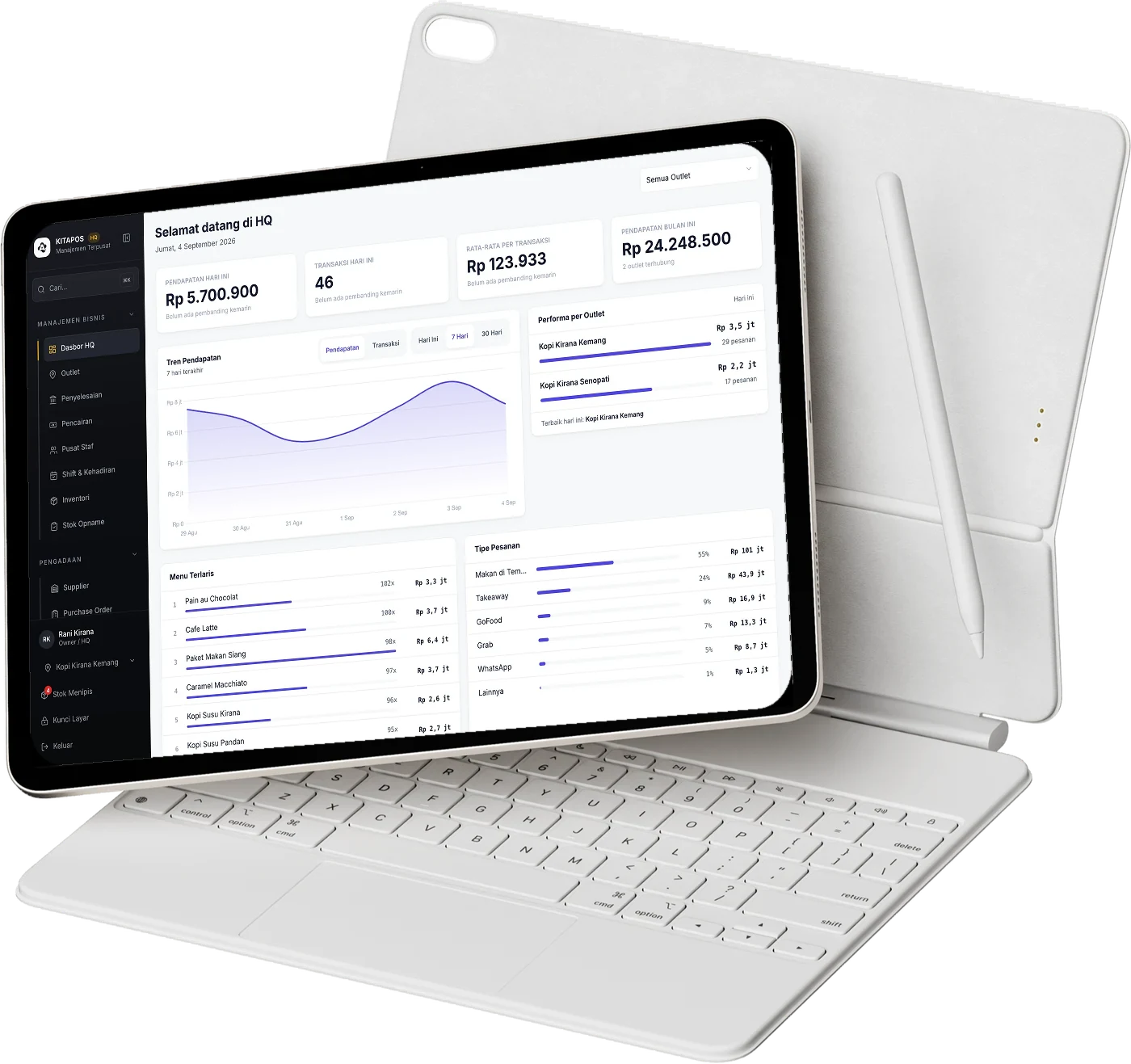
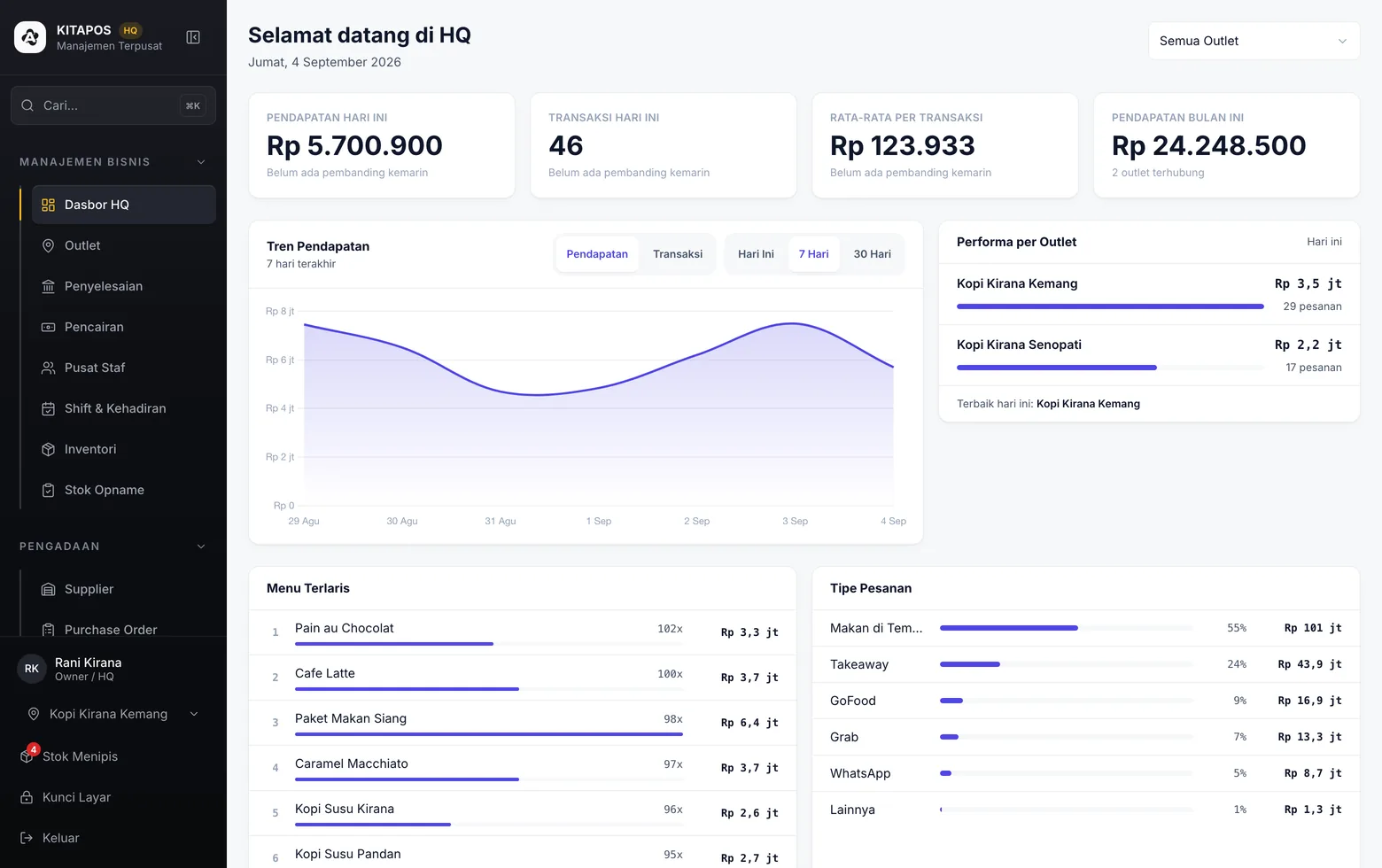
Today's revenue, the 7-day trend and each location's performance without opening a separate tab.
 Enlarge
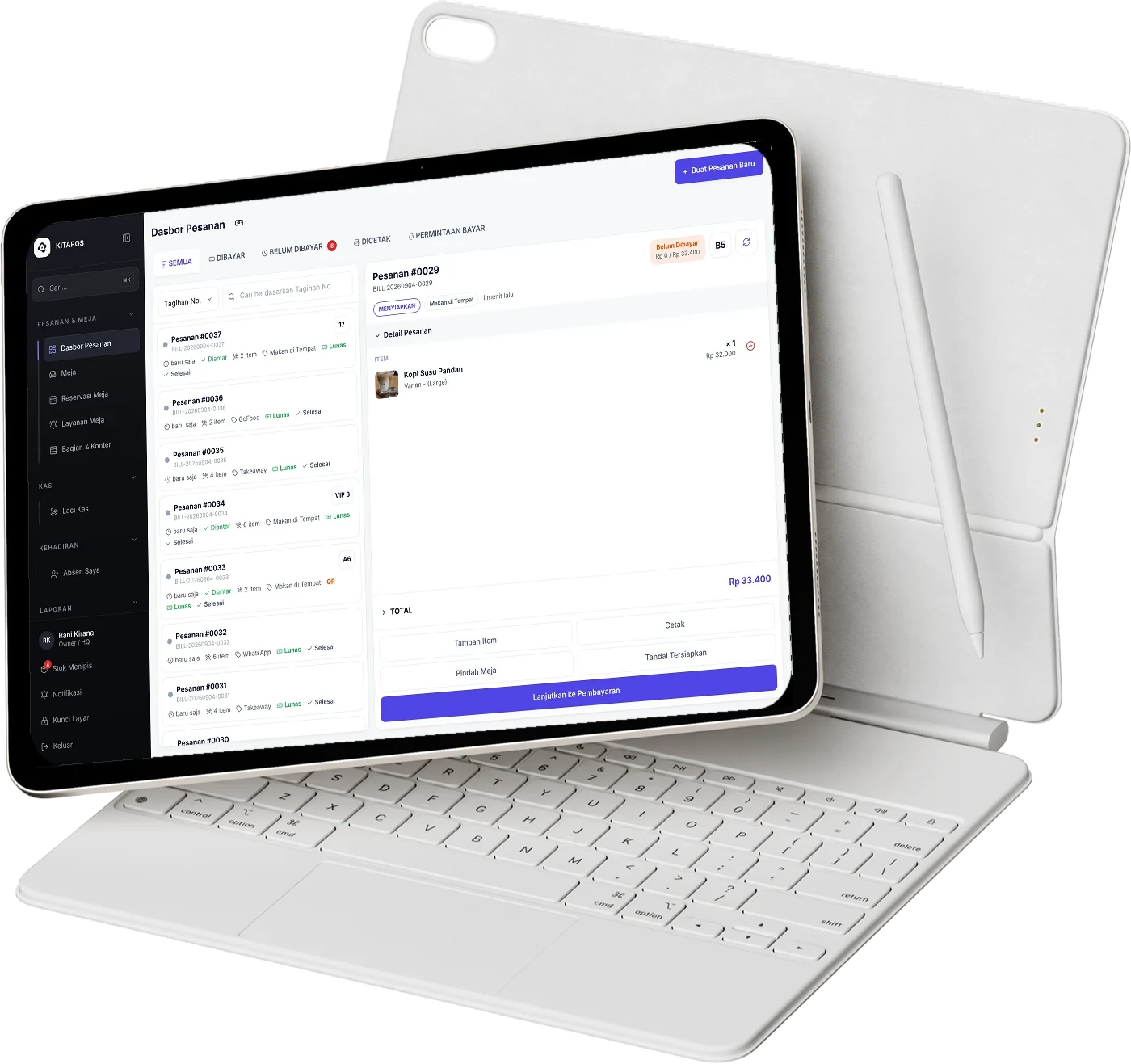
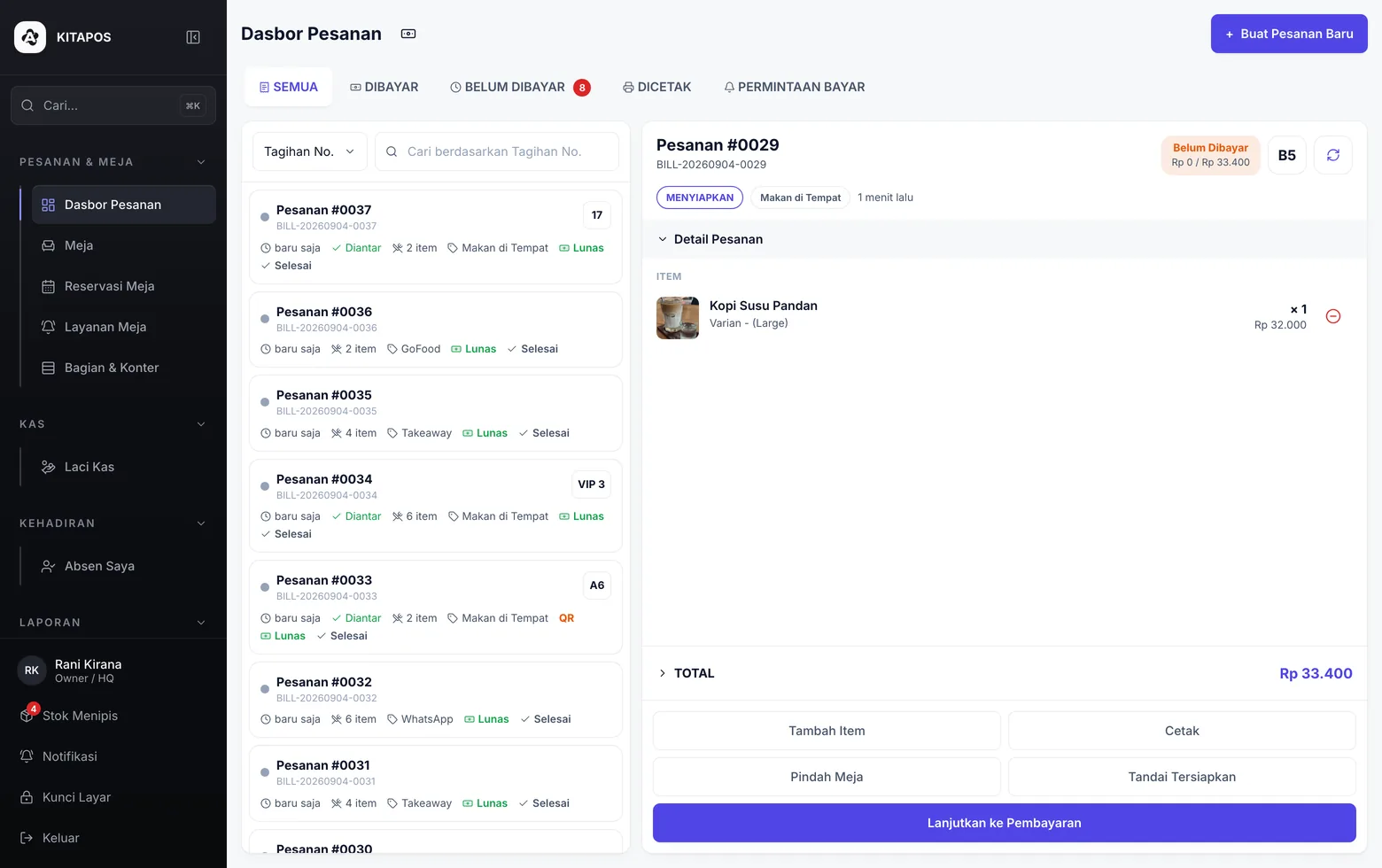
Till orders and table orders arrive in the same queue.
 Enlarge
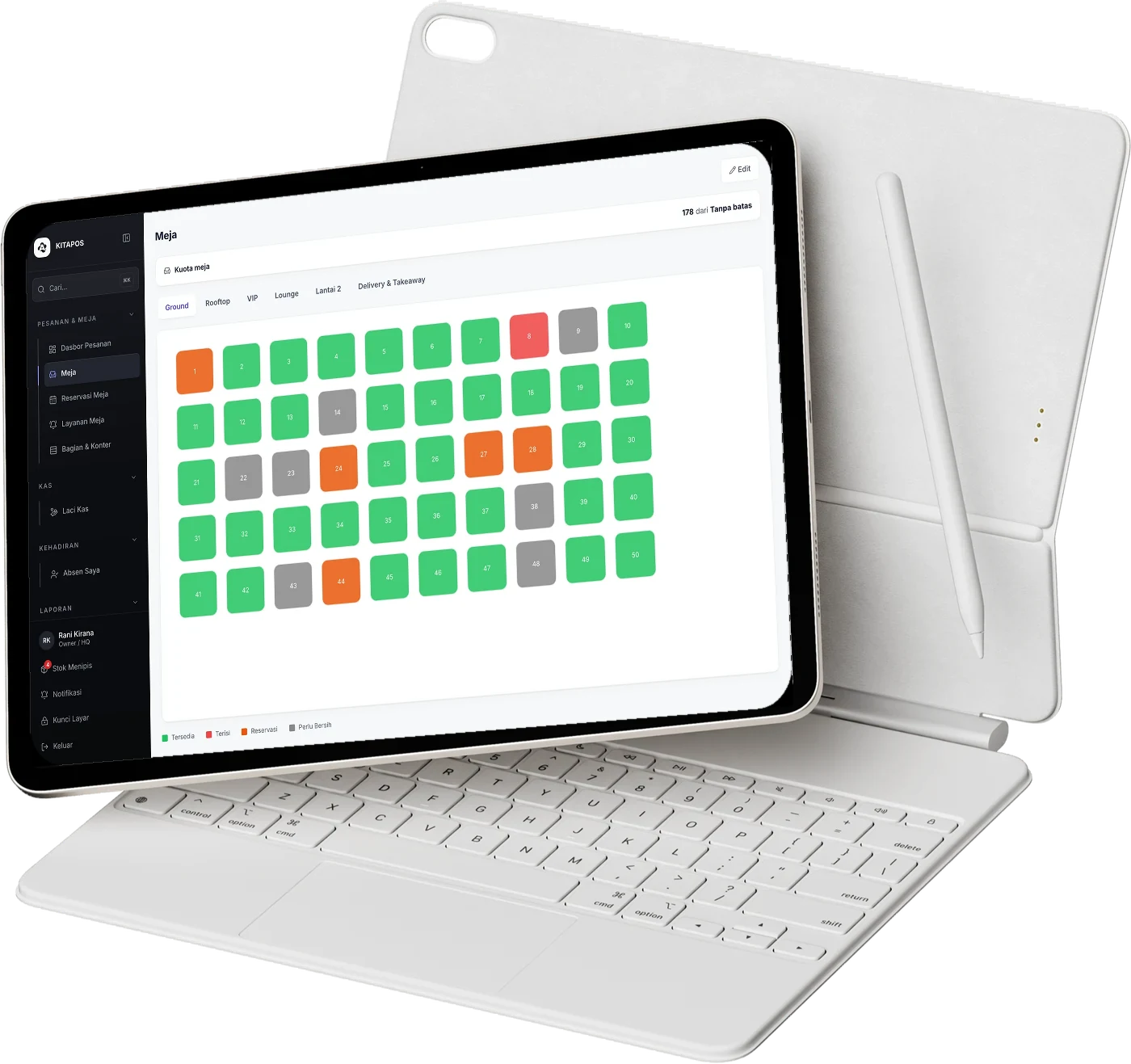
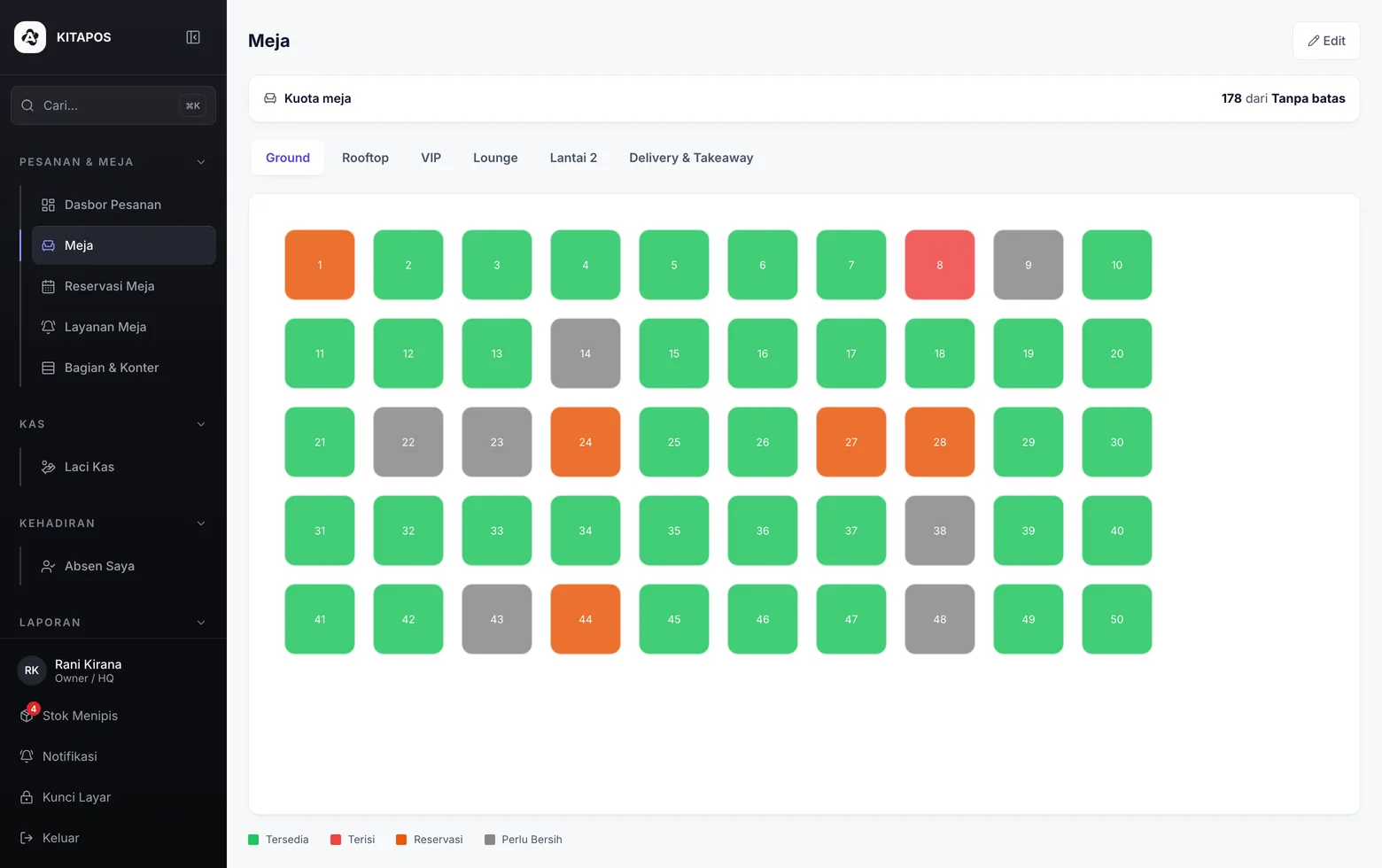
Available, occupied, reserved, needs clearing. Readable at a glance.
 Enlarge
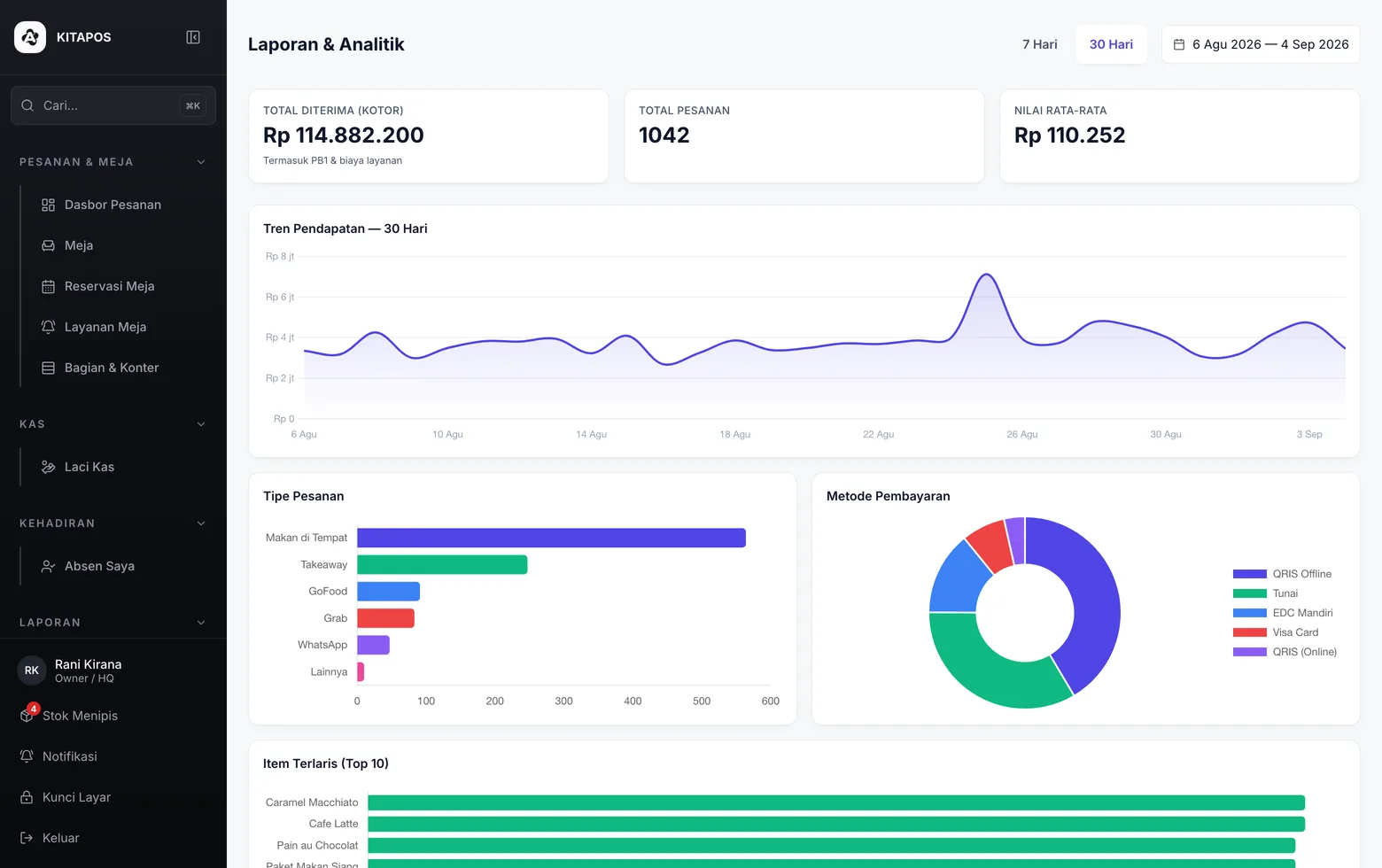
The mix of order types and payment methods, not just a total.
 Enlarge
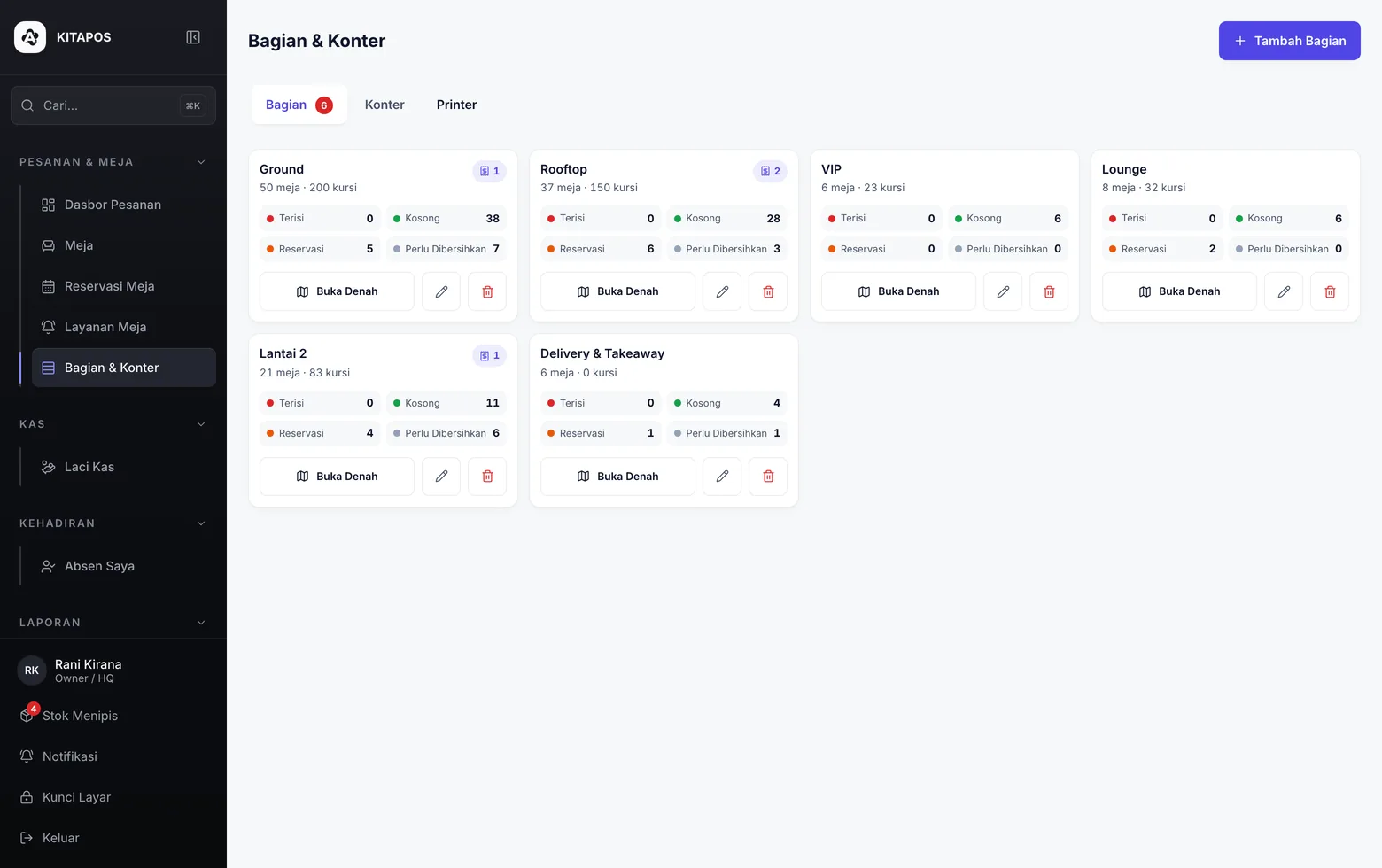
The till receipt, the kitchen ticket and the checker copy can be three different printers.
Pick how you are billed today, then put in your own numbers. We guess nothing, and the arithmetic runs in your browser without being sent anywhere.
You pay a monthly subscription and a percentage of sales on top.
Rp299,000 is our highest public plan price, and the 2% rate is the same on both. Enterprise runs on its own contract.
Averaging Rp 30,000 per order.
The starting figures above are an example, not any particular vendor's rate. Drag them to match the bill you actually pay.
What stays in your till, per year
Rp 2,400,000
The crossover is at Rp 100 million of revenue per month. Below that KITAPOS is cheaper; above it, theirs is.
The KITAPOS row assumes an outlet using order-from-table: 2% of subtotal plus the plan you choose, so the effective rate is 2.33% at that figure. The bigger the revenue, the smaller the subscription's share. Payment gateway fees are passed through with no markup and printed as their own line, so you see two honest numbers.
Every plan starts with a 30-day trial and no credit card, and the till itself is complete on all of them: cash drawer, closing the books, inventory, right through to tax reporting. Starter opens up tables, so guests order themselves by QR, plus face-verified attendance. Advanced opens what moves the numbers: featured items pushed to the top, loyalty, Google reviews and broadcasts to past guests. The subscription is deliberately small, because our revenue grows from the 2% rate as you grow.
Scroll the table sideways to compare plans.
| Features |
Starter
Value |
Most complete
Advanced
Value |
Enterprise Custom Quotas and contract tailored to you Contact Us |
|---|---|---|---|
| Quotas and fees | |||
| Outlets | 1 | 1 | Per contract |
| Tables | 5 | 10 | Per contract |
| Staff accounts | 5 | 5 | Per contract |
| Platform rate on subtotal, at outlets using order-from-table | 2% | 2% | Per contract |
| Payment gateway fees | Passed through as-is | Passed through as-is | Passed through as-is |
| Extra table (one-off, printed QR card included) | Rp50,000 | Rp50,000 | Rp50,000 |
| Extra staff member (per month) | Rp10,000 | Rp10,000 | Rp10,000 |
| Trial period | 30 days, no credit card | 30 days, no credit card | Per contract |
| Support | WhatsApp support during business hours | WhatsApp support during business hours | Onboarding and hands-on guidance |
| Till | |||
| An order dashboard that updates itself | Included | Included | Included |
| Floor plan with occupied and free status | Included | Included | Included |
| Table reservations | Included | Included | Included |
| Table service, with calls from the table reaching the till | Included | Included | Included |
| Sections and counters | Included | Included | Included |
| Cash drawer: open, record movements, close with the discrepancy | Included | Included | Included |
| PIN lock per cashier, shift handover without logging out | Included | Included | Included |
| Six order types: dine in, takeaway, Grab, GoFood, WhatsApp, other | Included | Included | Included |
| Payment methods: QRIS online, QRIS offline, cash, EDC, card | Included | Included | Included |
| Service charge and PB1 set per outlet | Included | Included | Included |
| Orders from guests | |||
| QR ordering, guests order from their own table | Included | Included | Included |
| Guests pay from their phone, with no walk to the till | Included | Included | Included |
| Table orders and till orders land in the same queue | Included | Included | Included |
| Customer-facing display on a second screen | Included | Included | Included |
| Kitchen and devices | |||
| Kitchen display in its own tab, cooking status per ticket | Included | Included | Included |
| Receipt printing through the printer bridge | Included | Included | Included |
| Runs in the browser, with nothing to install | Included | Included | Included |
| Menu and marketing | |||
| Menu, categories and item photos | Included | Included | Included |
| Variants and modifiers per item | Included | Included | Included |
| Promotions, discounts and vouchers | Included | Included | Included |
| Loyalty programme per outlet | Not included | Included | Included |
| Google reviews requested automatically after payment Coming soon | Not included | Included | Included |
| Referral programme | Not included | Included | Included |
| Featured items pushed to the top of the guest page | Not included | Included | Included |
| Broadcast campaigns to customers | Not included | Included | Included |
| Email blasts to past customers Coming soon | Not included | Included | Included |
| GrabFood and GoFood status integration | Included | Included | Included |
| Reporting and finance | |||
| HQ dashboard | Included | Included | Included |
| Sales and order reports | Included | Included | Included |
| Closing the books | Included | Included | Included |
| Profit and loss report | Not included | Included | Included |
| Customer report | Not included | Included | Included |
| Cash report across cashiers | Included | Included | Included |
| Restaurant analytics | Included | Included | Included |
| Payment settlement per period | Included | Included | Included |
| Inventory and procurement | |||
| Ingredient inventory | Included | Included | Included |
| Waste recording | Included | Included | Included |
| Supplier records | Included | Included | Included |
| Purchase orders | Included | Included | Included |
| Stock transfers between outlets | Included | Included | Included |
| Staff | |||
| Staff centre | Included | Included | Included |
| Photo clock-in, a selfie at the start of the shift | Not included | Included | Included |
| Attendance with face recognition | Included | Included | Included |
| Per-module access rights for each account | Included | Included | Included |
| Full documentation inside the app | Included | Included | Included |
Out of quota? Just add more. Rp50,000 per table one-off, printed table QR card included and ready to stick down, and Rp10,000 per staff member per month. Without moving up a plan before you actually need to.
Create the outlet account and upload the menu with its photos. Nothing to install; it all runs in the browser.
Table QR cards arrive printed and ready to stick down. Each card is already bound to its table number.
Cashiers unlock with a PIN, and table orders and till orders land in the same queue.
KITAPOS runs in the browser and needs a connection to keep devices in sync. For outlets with a patchy line we recommend one simple backup such as phone tethering, and our team helps set it up during onboarding.
You do. Every order, report and customer record is held in your outlet's name and can be exported at any time. A monthly subscription means you can stop whenever you like without losing the history.
No. The till runs on the tablet or laptop you already have, the kitchen display is an ordinary browser tab, and guests use their own phones. Usually the only thing to add is a receipt printer.
Yes, on the Enterprise plan. Consolidated reporting, staff across outlets and inventory all appear on one HQ screen rather than as a separate report per location.
Because a PIN can be handed to a colleague and a photo cannot. It is a per-outlet setting, so an outlet that does not need it can switch it off and attendance is still recorded from the PIN unlock.

A 30-day trial with every feature and no credit card. If it does not suit you, stop with no penalty and your data stays exportable.
Interactive demo


Good coffee, consistently made
Afternoon Coffee Promo
 Take orders straight from the table with one QR